Aude.ai·2025
Designing AI coaching for software engineers
Aude.ai is a performance review platform. It told engineers what they were doing badly and gave them no way to do anything about it, so people stopped using it. I designed the feature that lets an engineer take a piece of feedback to their manager and turn it into a real conversation.
- Role
- Product Designer. I owned the engineer's side of the feature.
- Team
- 3 designers with the CEO and product manager. Teammates owned the manager's side.
- Timeline
- Aug to Dec 2025
- Result
- 40% more engineers using the platform · 22 of 27 completed the new flow unaided · 60% less time writing up sessions
Overview
What Aude.ai is
Aude.ai is a performance review platform for engineering teams.
It connects to the tools engineers already work in (Slack, GitHub, Jira and Confluence) and collects anonymous feedback from the people they work with. AI then turns all of that into patterns about how someone is doing across three areas: engineering quality, strategic thinking, and trust.
It updates every day and shows you the last fifteen days at a time. You can move the filter back to see earlier periods. So it's meant to be something you check regularly, not a report you read once a year.
My Role and Responsibilities
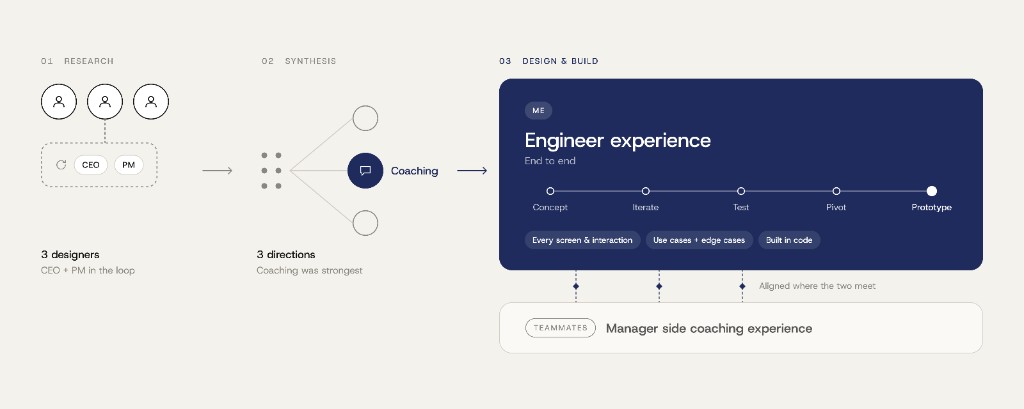
Three of us led the research, with the CEO and Product Manager in the feedback loop. We split the user interviews and synthesized the findings into three potential directions. The research pointed us toward coaching as the strongest opportunity.
From there, I owned the engineer experience end to end, from the initial concept and iterations to testing, pivoting the direction, and building the final prototype. I designed every screen and interaction engineers would encounter, accounting for key use cases and edge cases, and built the working prototype in code.
My teammates owned the manager experience, and we aligned on the key points where the two experiences intersected.
Project Impact
Adoption increased by about 40% from the pre-redesign level. Alongside that, 22 of 27 engineers completed the end-to-end workflow without any intervention, and post-session documentation time dropped 60% against the manual process after coaching MVP release.
The clearest signal was qualitative. Engineers described the feature as finally giving their feedback a path to growth with their manager involved.
Problem
Here's what it looked like for one engineer.
- He opens the platform after a review period. There are about a dozen pieces of feedback waiting, all the same size on the page, so nothing tells him which one matters. He skims.
- He opens one. It says he needs to work on strategic thinking. He wants to know what that's actually about which project, which conversations, what he did. The platform tells him it came from Slack, but that's the whole company. It doesn't narrow anything down.
- Then he gets to the bottom of it and there's nothing there. No way to ask a question. No next step. Nothing to click. So he closes it. Fifteen days later the same feedback is back, with more piled on top.
| Learning AudeWeek 2 | Wrapping up projectWeek 4 | Post-ProjectWeek 8 | Preparing / EvaluatingWeek 12 | ExpectationWeek 14 | |
|---|---|---|---|---|---|
| User Goals | Understanding the platform and its working | Find out if anything needs my attention | Which of these metrics and suggestions are worth my time | Understand where the pattern came from and how it helps | Figuring out how the AI pattern helps |
| What they do | Platform understanding and its use for them | Give an overview to what the platform generated | Skims through a dozen of flat insights | Re-reading insights, looks for the source | Maybe raise it in a 1:1 or don't know what to do with it |
| What they think | Motivated to see how this works. | Anything new in here that can help me | Which of these suggestions actually matters | What is AI insight even about? | There's nothing I can do here. It's a waste of time. |
| User Quotes | “I would like to see how this works” | “Let me see what my platform pulled up for me” | “These AI Insights look like a black box” | “Too judgemental with no valid direction to ask” | “I wish I had someone to guide me what to do with these insights” |
| Is the goal met | Halfway through with understanding | Unmet, nothing gives engineer a reason to open | Unmet, everything looks equally important | Unmet, clueless about the patterns and content | Unmet, no one to ask, nothing to click or guide |
Research
Three findings, from 20+ interviews, a platform audit and a competitive analysis
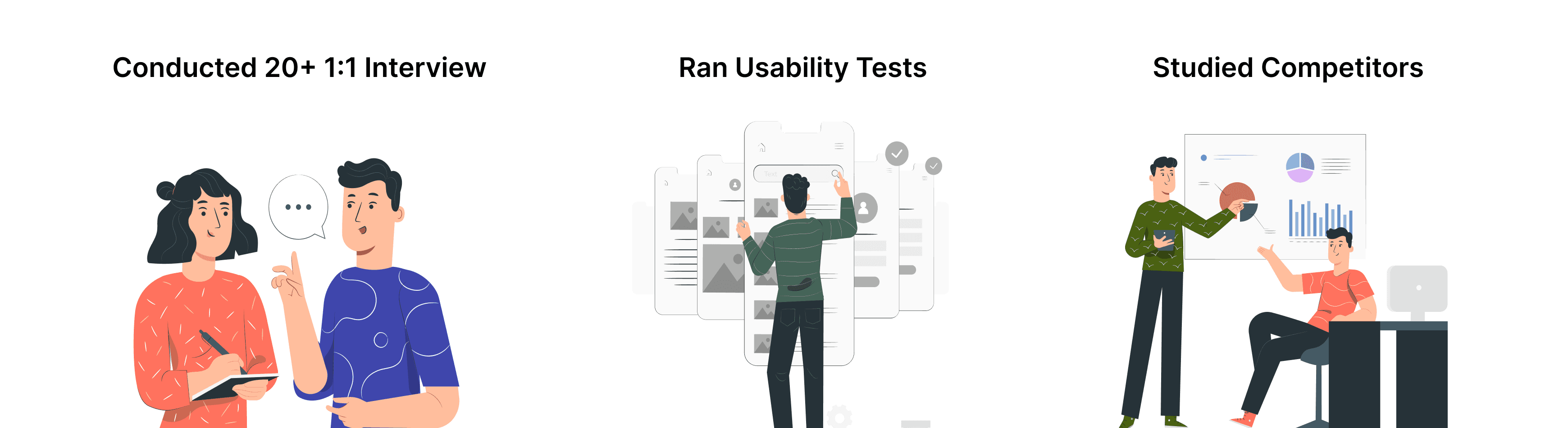
To identify friction points across the product, we reviewed the platform's end-to-end workflow, and the three of us interviewed users who regularly relied on it for performance evaluation. The research explored how engineers interpreted AI-generated insights, applied them to improve their performance metrics, communicated progress with their managers, and identified opportunities for continued growth.
What I learned
- Engineers skimmed long insight summaries, or opened one and tried to work out what it was actually referring to before moving on without acting.
- The source platform is named on the insight, so you know it came out of Slack activity or GitHub, but that's the whole company.
- It doesn't tell you which project, which conversations, or what you did. So engineers had a claim about themselves and a source too broad to check it against.
Pivot
My initial AI-driven concept failed pressure testing with users and revealed two key concerns.
My first direction after the research was an AI-driven practice sandbox, similar to how a digital twin system works, where an engineer could work on a growth area in a realistic but consequence-free space. I created a quick prototype with Cursor and tested it with software engineers.
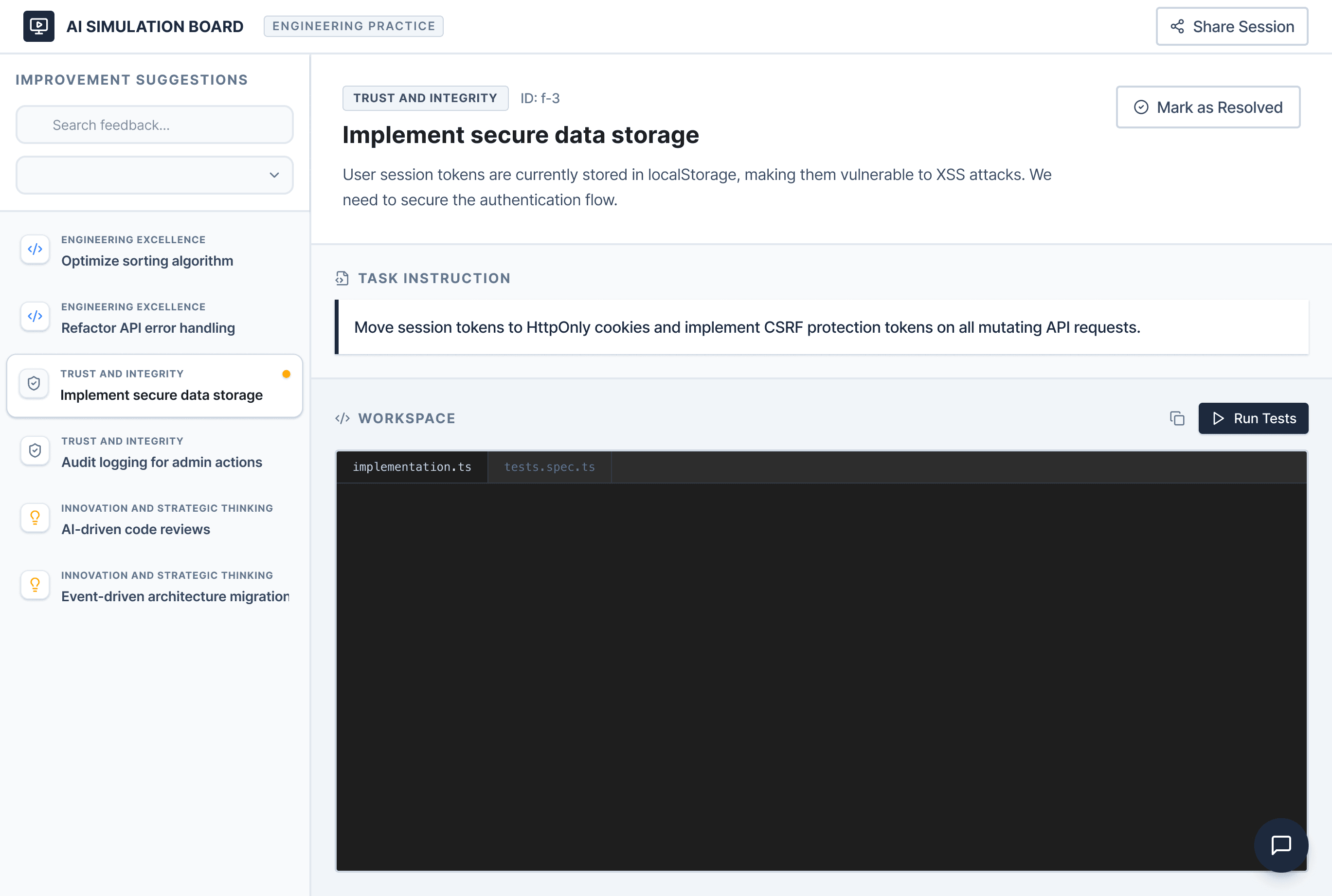
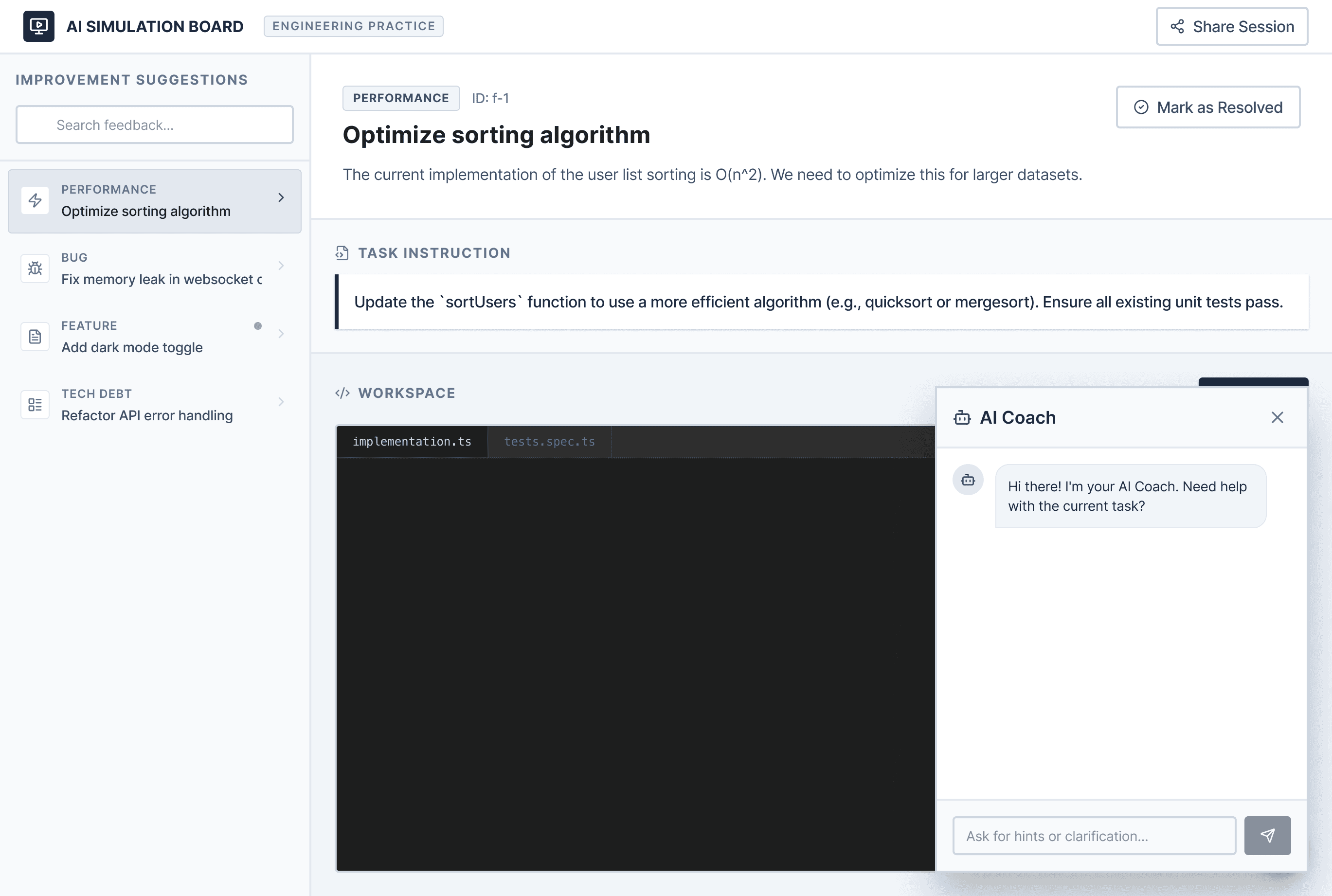
It failed, for two reasons:
It cost real time. Engineers would have to pull hours out of their actual work to practice in a simulation with no actual result coming out.
They wouldn't trust it. Nobody wanted to hand their entire growth process to AI. They wanted a person in it. Having a lead in the loop felt better than letting AI take the front seat.
Designs
Where coaching sits in the product flow
The final redesign focused on placing coaching at the exact point where the old flow dead-ended: the moment an engineer understands an insight. Help is most useful at the moment of confusion.
| Work on projectsWeek 2 | Evaluate patternsWeek 4 | Initiate CoachingWeek 8 | Session with managerWeek 12 | Meeting RecordWeek 14 | |
|---|---|---|---|---|---|
| User Goals | Work without even thinking about the evaluation | Find out what the AI insights are and if anything needs my attention | Ask for help without it being held against me with records | Have a useful conversation, without thinking about how to take notes or missing the conversation | Leave with a conversation about set agenda, a way to improve, and show up later with progress |
| What they do | Work with technical tools like Slack, Jira, Github | See which pattern has most behind it with top 3 improvement areas | Select the improvement area and fill in the coaching form | Talks to manager, AI transcribes the meeting and takes notes | Select the points discussed from the meeting notes and add them to specific section for next follow-up |
| What they think | Motivated to see how this works + curious about the insights | I need to have a better understanding of how I can improve | Thinking that this won't be counted against me and I can ask for help | Having an understanding of the meeting agenda | I have a plan on how I can improve and then follow up with my progress |
| User Quotes | “I would like to see the insights that system pulls up” | “This tells me I could improve, but what's my next step?” | “I'd rather go in with one thing than a list” | “I can seek feedback without worrying about taking notes” | “I got a clear idea of where I need to improve with an agenda for next session, I can follow up again as well” |
| Is the goal met | No change | Pattern size shows the weight | Private 1:1 conversation with records | Having a real person and context | Evidence at review |
| Manager's side — owned by a teammate (Sumedha) | Request arriving with the form with all the details | Accepts, joining the meeting and interacts with the engineer | Can view it and approve it but cannot edit it |
Feedback as patterns, not walls of text Insights are shown as sized clusters: the bigger the pattern, the more feedback behind it. What matters most is visible before you read a word. Each is tagged by performance area, so engineers know instantly whether it's about their craft, thinking, or communication.
Requesting coaching, straight from the insight An overlay, not a new page, so the engineer stays in their performance context. It carries the pattern as evidence, a chosen recipient, and what they want out of the session. It shows as pending until the manager responds, because silence after a request is where trust breaks.
A shared session board Both people work from one board and fill it live as they talk. What the engineer originally asked for stays pinned at the top, so the conversation stays anchored to the real need.
AI that answers, rather than volunteers Transcription runs throughout. Afterward, the engineer can ask the transcript questions "what milestones did we agree on?" and get back editable blocks, each traceable to the moment it was said. They curate what's real onto the board themselves.
The Sessions page brings together meeting notes and transcripts, allowing engineers to revisit past conversations and ask follow-up questions. Engineers can also edit a session board, share it with their manager for approval, and align on shared goals. Sessions can then be scheduled based on their individual needs.
During a meeting with their manager, engineers can create a follow-up session within the existing session to maintain a continuous feedback loop until the desired outcome is achieved. Tasks, milestones, and goals can be carried forward to the next meeting for continued discussion and progress tracking.
Impact
4 KPIs to measure the success
I chose Engineer platform adoption and Insight-to-action conversion as primary KPIs and User Satisfaction and Coaching follow-through as secondary KPIs.
Adoption up by 40%
The main metric, because people only keep using a tool that earns a place in their routine. A redesign can lift a satisfaction score without changing whether anyone actually uses it, so adoption was the most honest proof the design worked.
Insight-to-action for coaching 5–7 minutes.
The bet was that the problem wasn’t bad feedback, it was that nothing turned feedback into action. So I tracked that exact behavior: how fast someone goes from seeing an insight to acting on it.
User Satisfaction by 70%
A check on the two above, not a goal on its own. Adoption and speed can move for outside reasons, so this confirms people came back because the experience was genuinely better and they trusted the feedback.
Follow through
Tracked to catch what the other numbers would hide, people requesting coaching and then dropping it. It confirms requests turned into finished sessions, so the design held all the way through.
Lessons
What I learned through the whole project
Test the idea you're most confident about first. Confidence is exactly the thing that needs pressure-testing. The sandbox failing early was worth more than it succeeding late.
With AI products, trust isn't final polish. It's a design input. The whole feature stood or fell on whether people believed it was safe to be honest in.